
The license fee is due each year, when you renew the cannabis license. Upon completion of submitting the license renewal, providing all the required documents, acknowledging the declarations, and reviewing all the information you have entered, the license renewal fee is due.
Cultivation license renewal fee
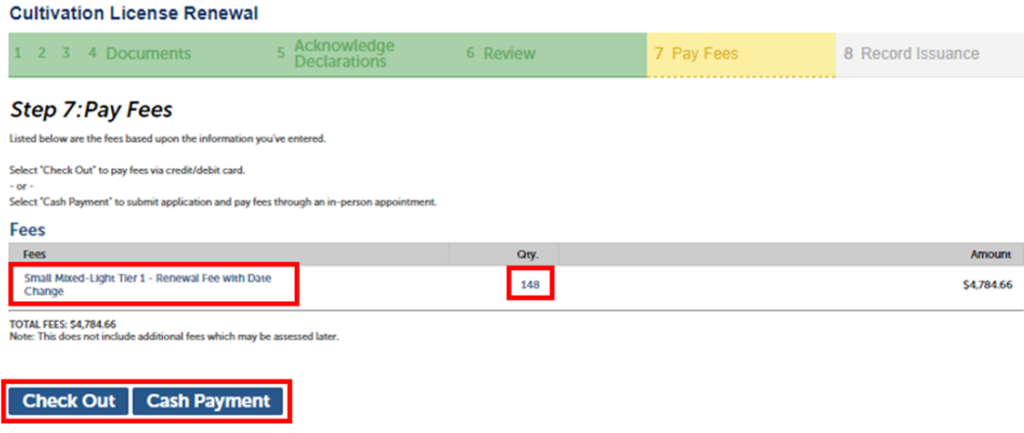
On the “Pay Fees” page, select “Check Out” to pay with a Credit/Debit card, or by cash payment by scheduling an in-person appointment to pay at one of our three offices, or you can mail in a check. These options are the same ones you used to pay your license fees and as a reminder you can visit our website to learn more about payment options and our office locations by clicking here.
Note: If requesting a fee deferral, select to “Cash Payment.” Once your renewal is processed, you can email equity@cannabis.ca.gov for confirmation and also to learn more about fee relief, you can visit our fee relief webpage.
One-time expiration date change
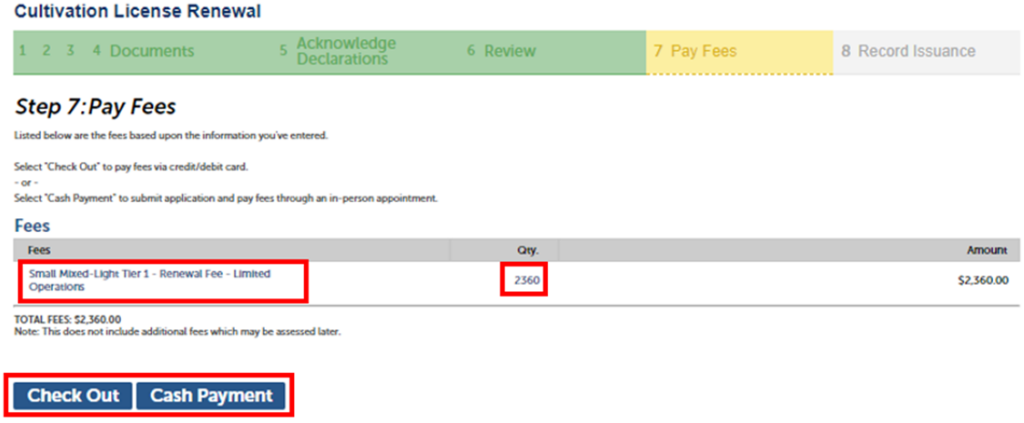
If you selected a ONE-TIME expiration date change, the fees will be prorated from date of expiration to the new expiration date.
Limited operations
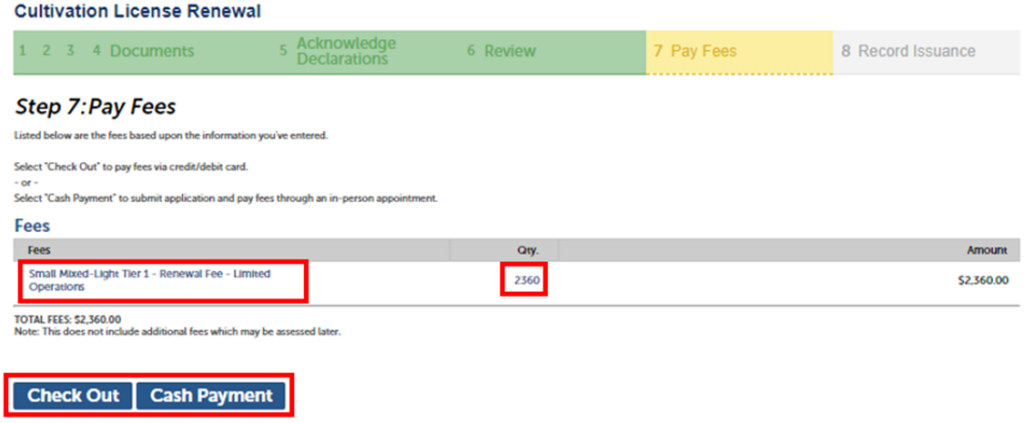
Note: If you selected “Yes” for limited operations, the fees due will be 20% of original license renewal fee.
License size change
Note: A change in license size will result in a different renewal fee based on the license size type.
Checkout
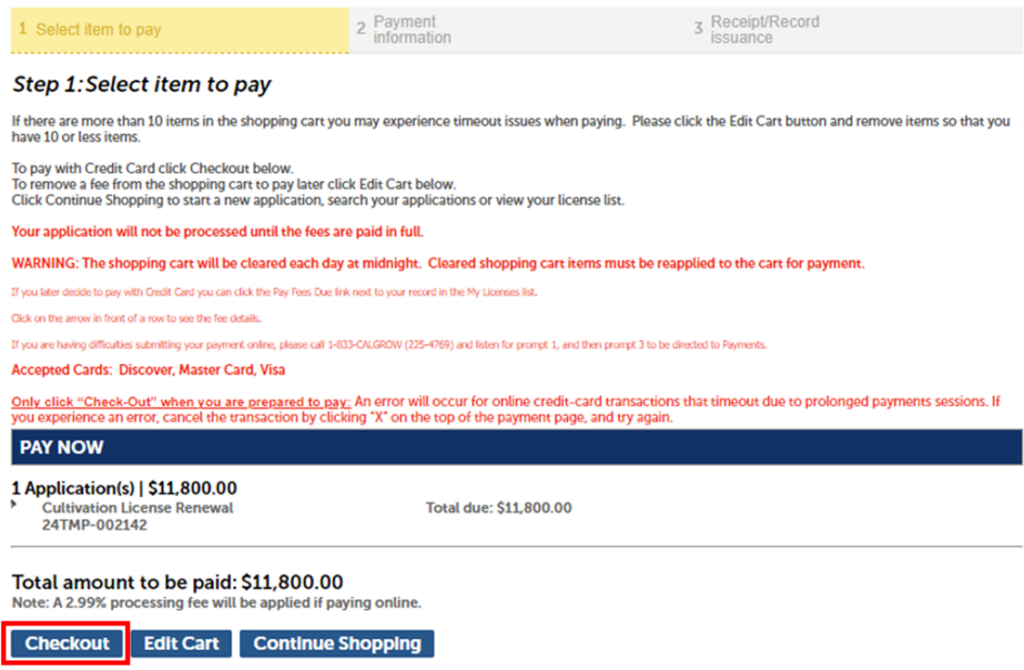
If you choose the option “Check Out,” the “Pay Now” page shows you the application number and fee you’re about to pay for.
Click “Checkout” to continue.
Payment information
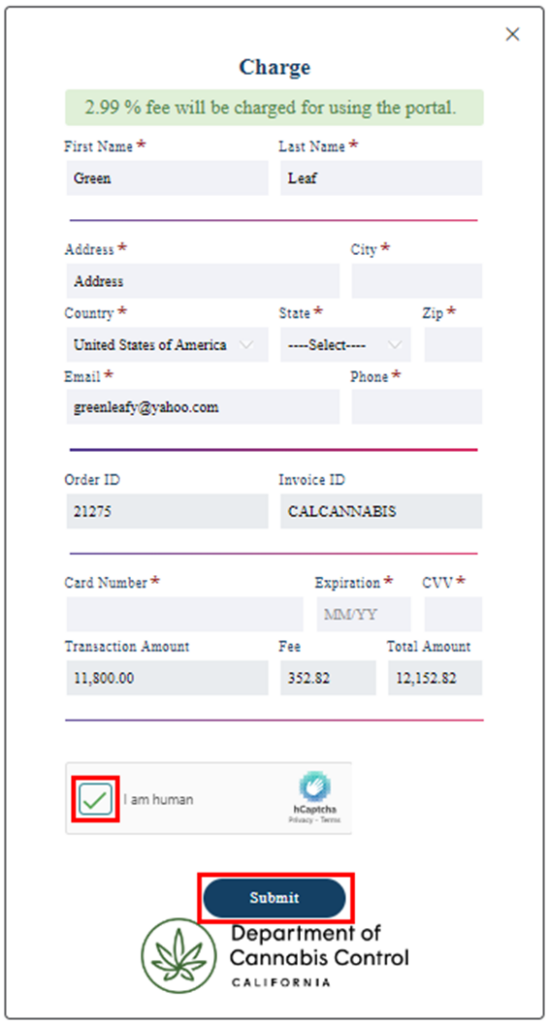
You will be redirected to a third-party page. Enter your Billing Address and Payment Information in the fields provided and then click “Submit.”
Note: A 2.99% fee is charged by the payment processor for credit or debit card transactions.
Confirmation and receipt
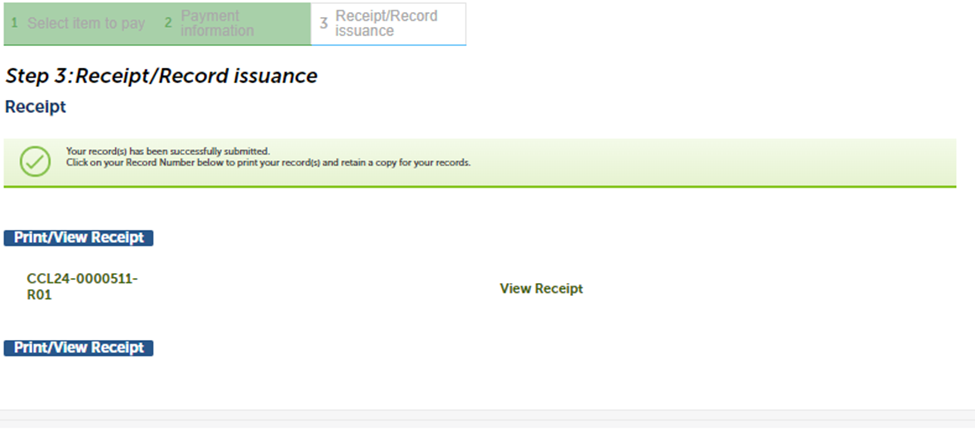
A confirmation message will display when payment has been processed.
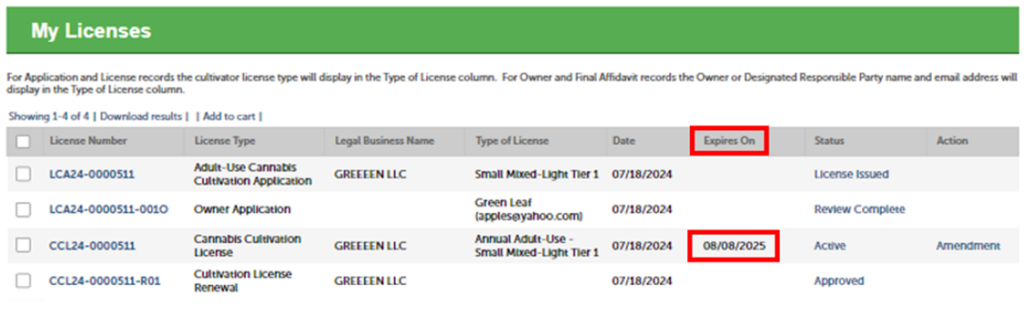
After making your payment, if there are no outstanding issues, the license will show a new “Expires On” date reflecting that your license has been renewed for one more year.
Continue to next article
-
CLS renewal – Printing the license certificate
As the final step during the CLS renewal process, you will need to find your license record, locate the attached certificate, and print your new certificate to post on your premises. Finding your license record In your account portal, select the “License Number” link to open your license record. Note: If you selected a change…