
As the final step during the CLS renewal process, you will need to find your license record, locate the attached certificate, and print your new certificate to post on your premises.
Finding your license record
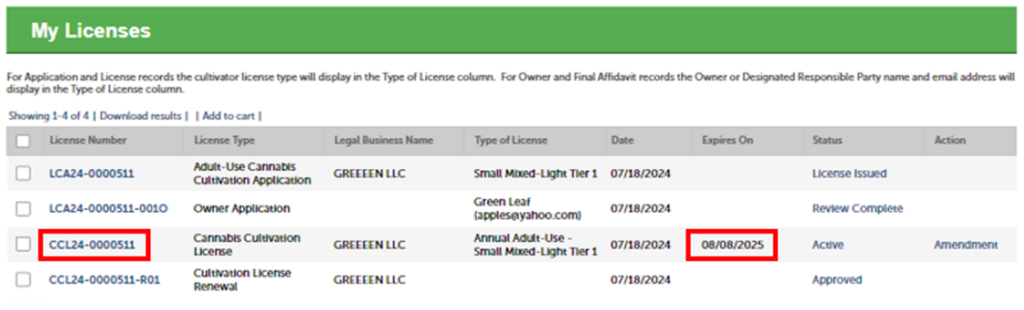
In your account portal, select the “License Number” link to open your license record.
Note: If you selected a change to your expiration date, the “Expires On” date will reflect the new expiration date you previously selected.
Record info
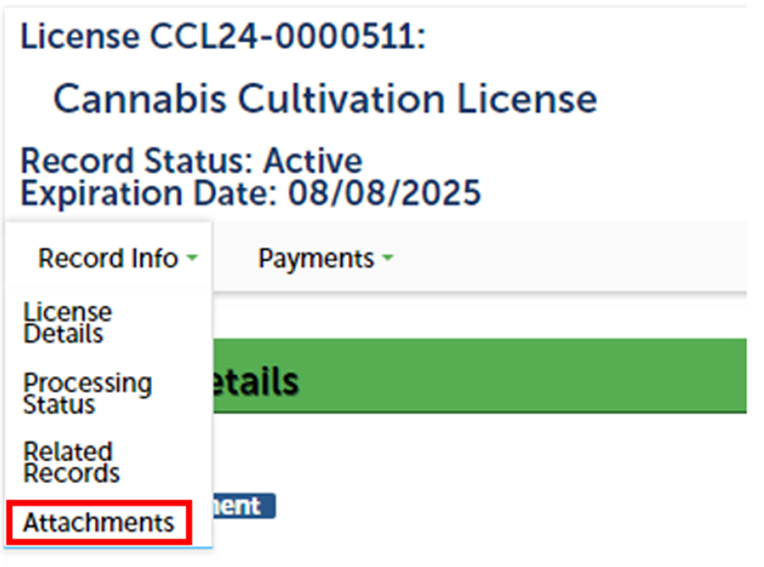
In your license record, select the “Record Info” dropdown list and choose “Attachments.”
Locating the certificate
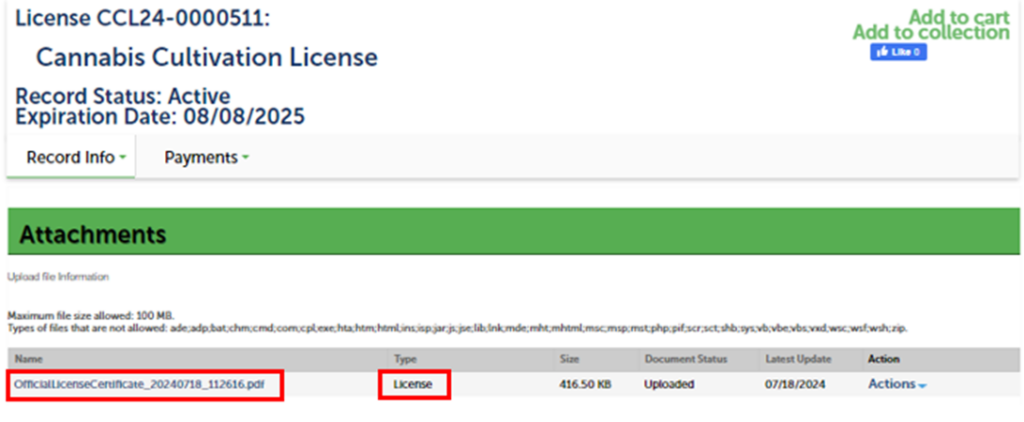
At the top of your attachments list, you should see your official license certificate.
You can open this PDF by clicking on the document under the “Name” column.
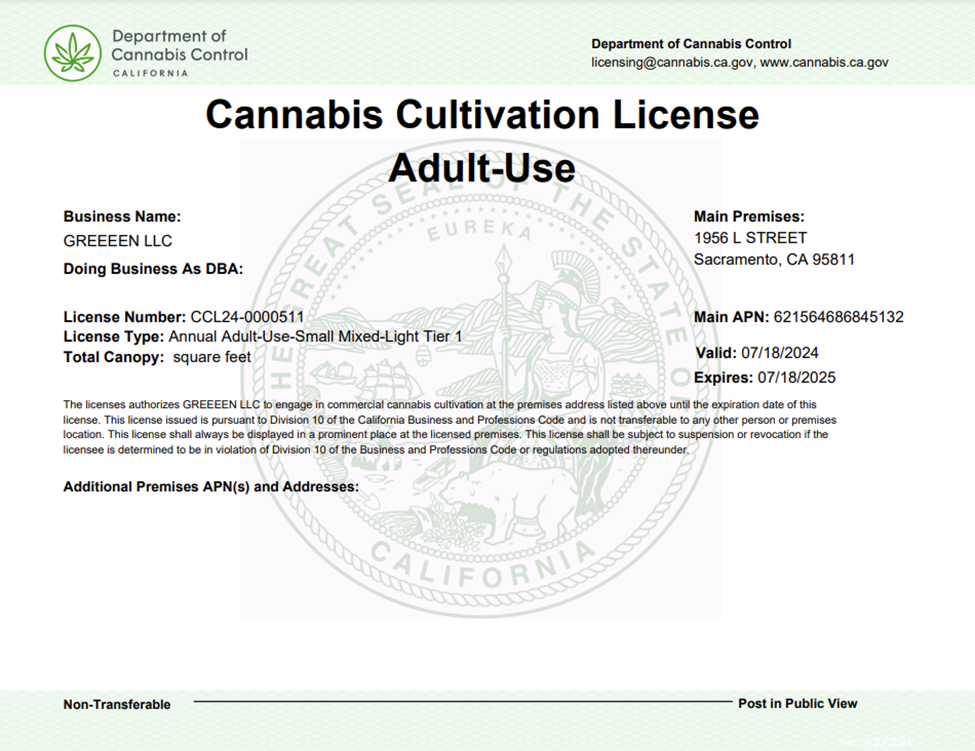
Print your new license certificate and post it at your licensed premises.
Contact us
For questions or concerns regarding your renewal, please contact DCC.
- Email: licensing@cannabis.ca.gov
- Phone: 1‑844‑61‑CA‑DCC (1‑844‑612‑2322)