
Last reviewed: August 3, 2026
Attaching documents
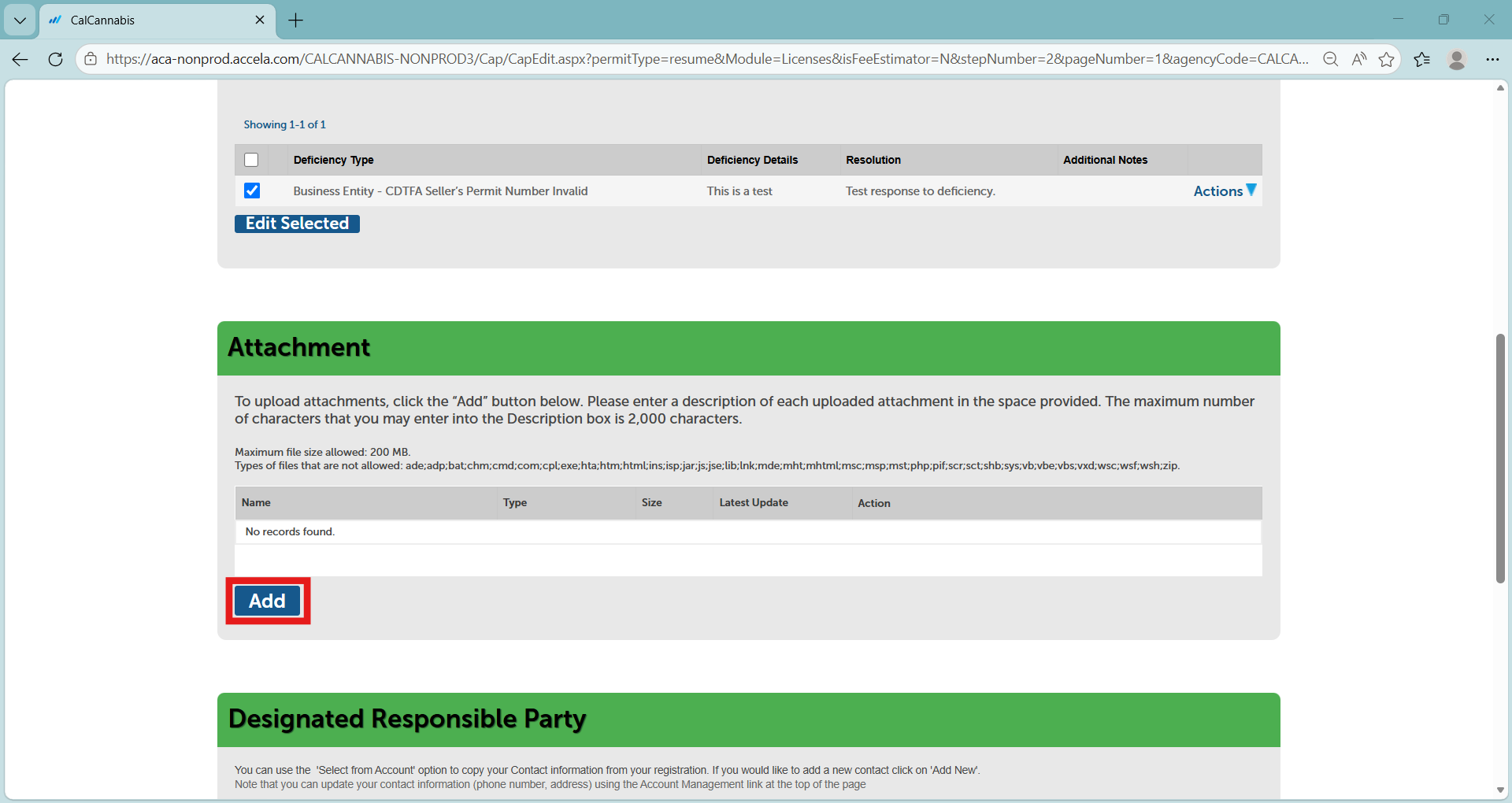
Scroll down to the “Attachment” section. Click Add to begin attaching a document.
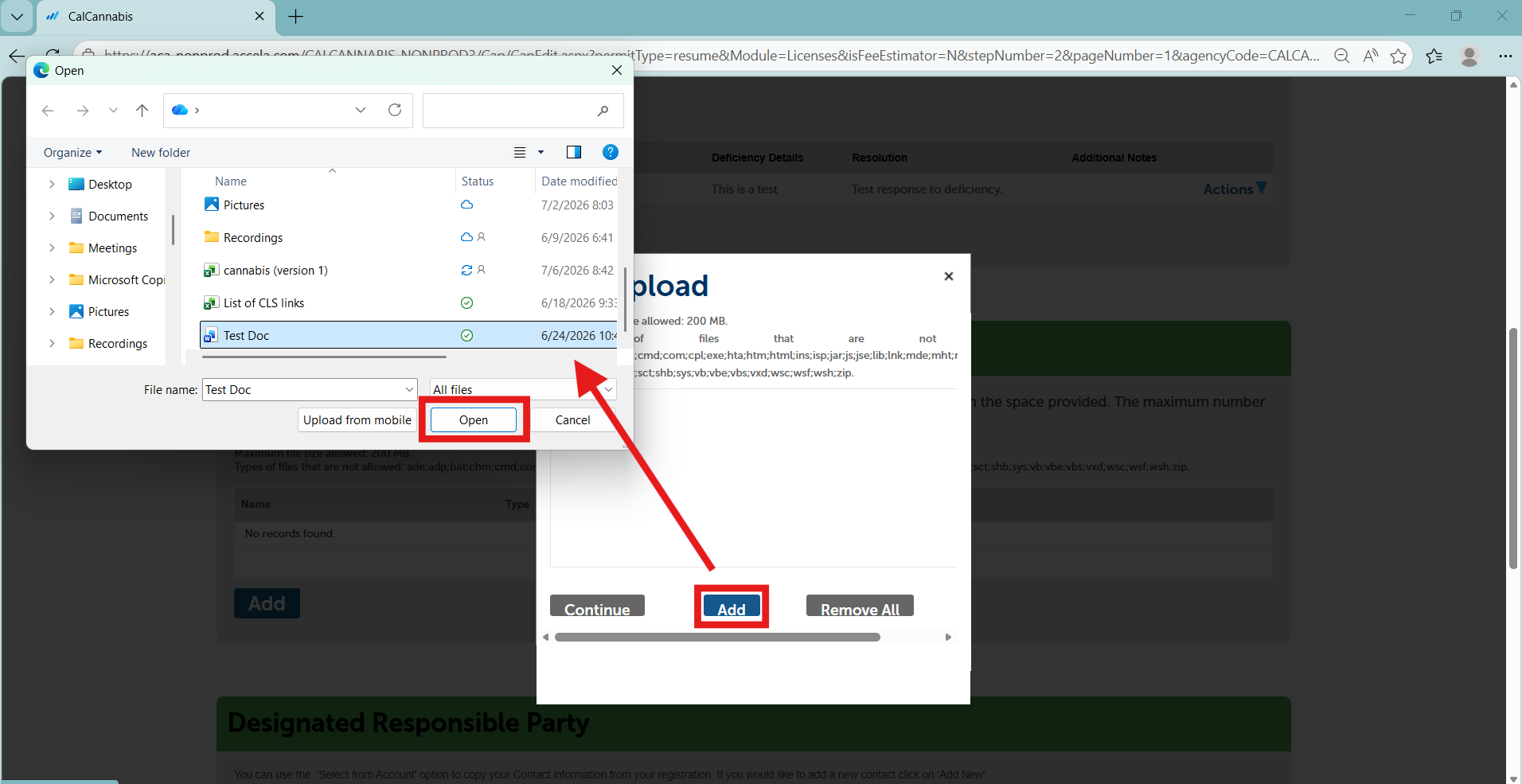
The File Upload pop-up window displays. Click Add here to find a file to upload. Select the file and click Open.
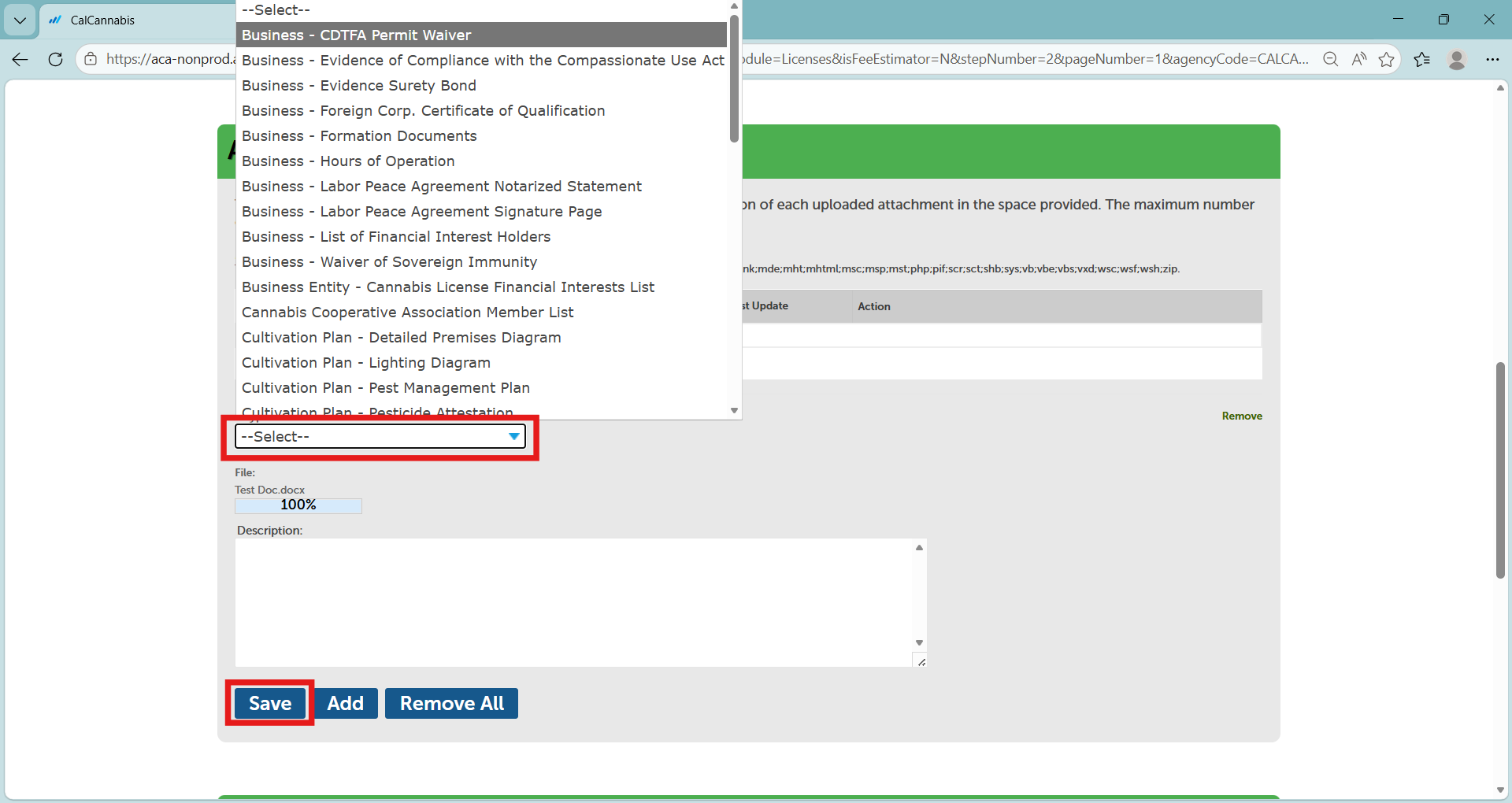
In the “Attachment” section you will see the document you uploaded. Label it by selecting from the “Type” dropdown list. You can also enter a comment on the document in the text box below.
Repeat this process for all documents you need to attach, then click Save when done.
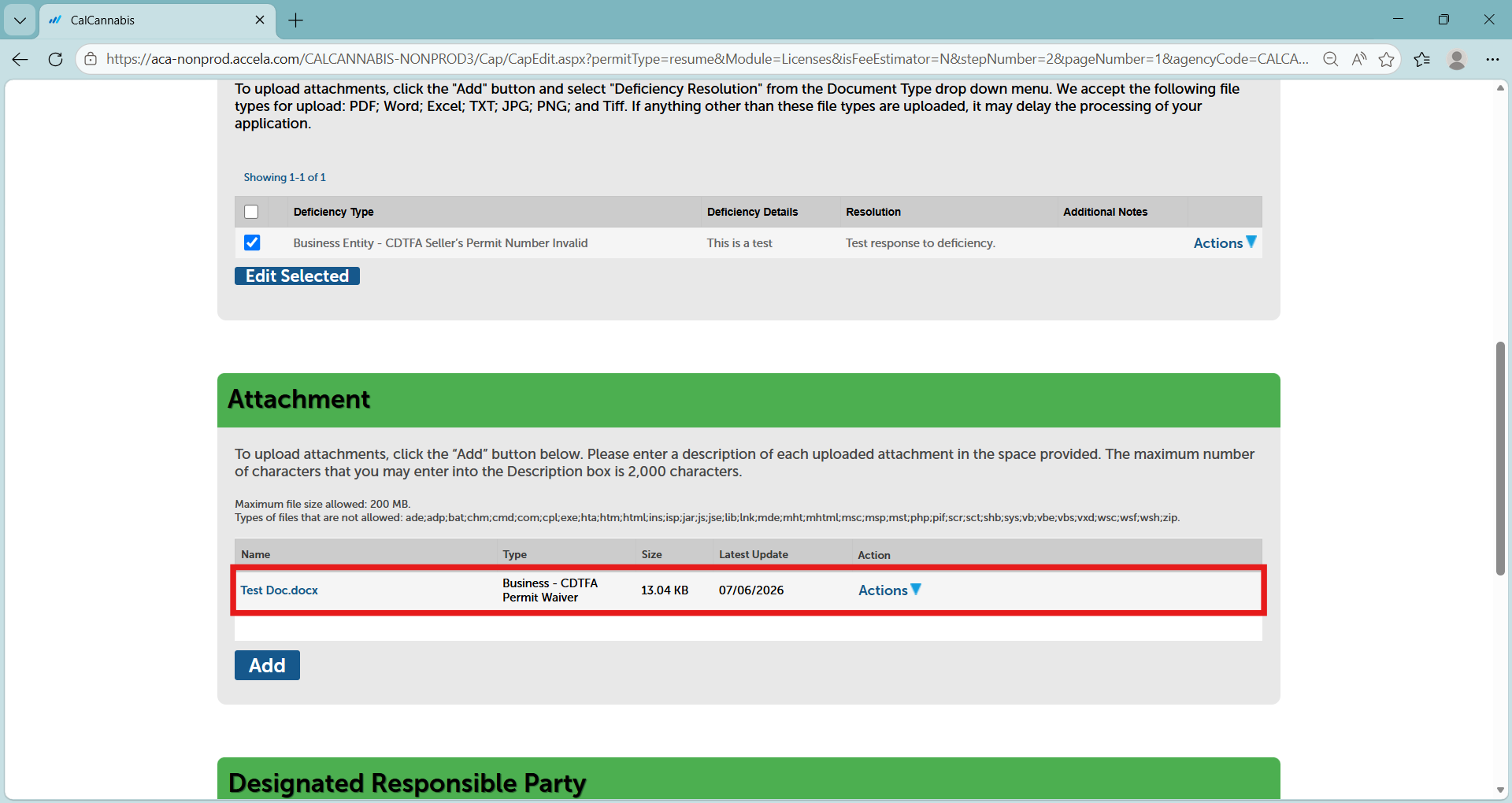
The “Attachment” section now displays the uploaded documents.
Continue to next article
-
Deficiencies: Designated responsible party
This guide provides comprehensive information on managing and addressing deficiencies for the Designated Responsible Party Below the Attachment section is the Designated Responsible Party section. This includes your personal information if you are the DRP for the business. Do not change anything in this section. Click Continue Application. The next screen lets you review your…