
Last reviewed: August 3, 2026
This guide provides comprehensive information on managing and addressing deficiencies for the Designated Responsible Party
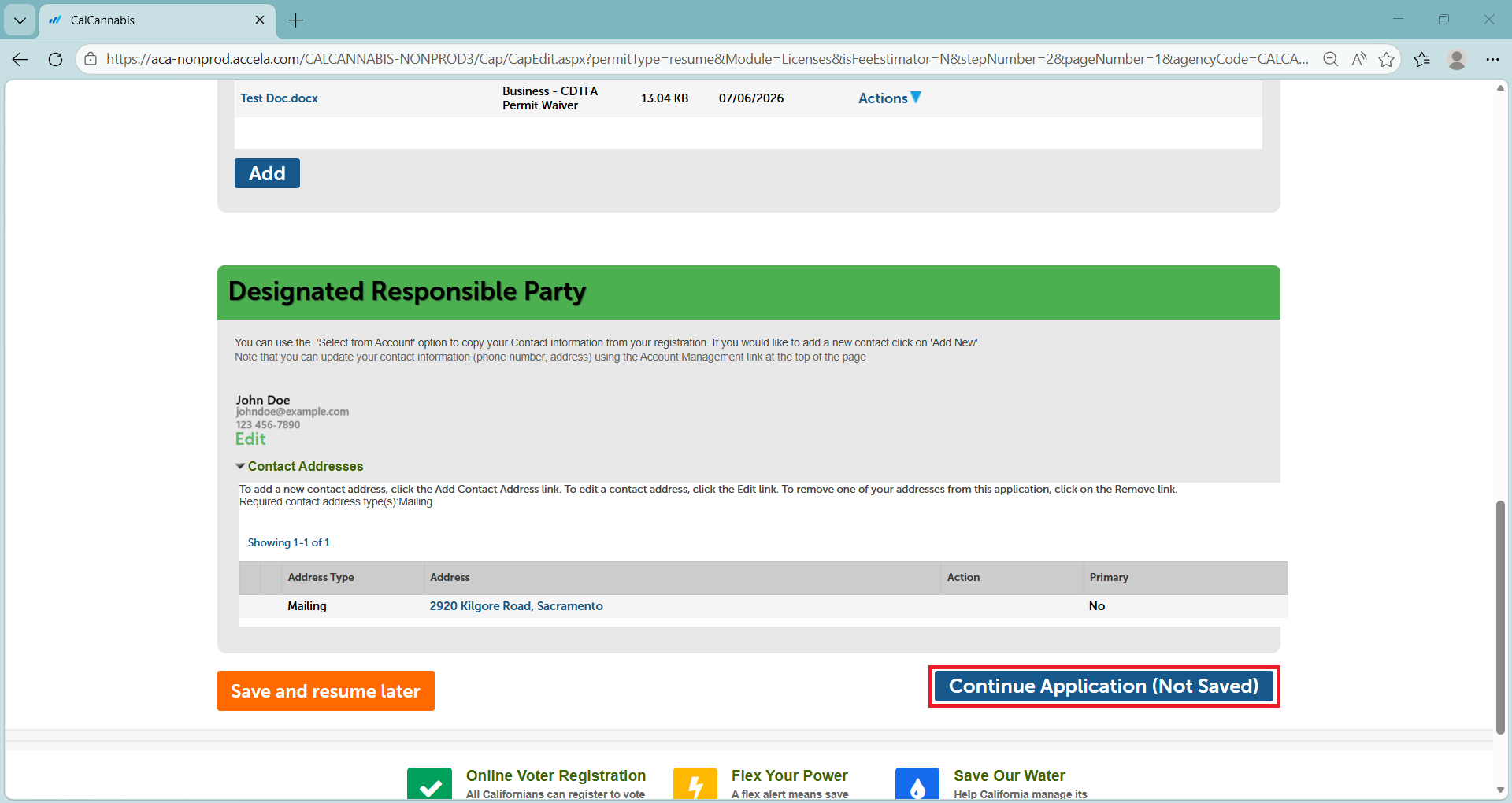
Below the Attachment section is the Designated Responsible Party section. This includes your personal information if you are the DRP for the business.
Do not change anything in this section.
Click Continue Application.
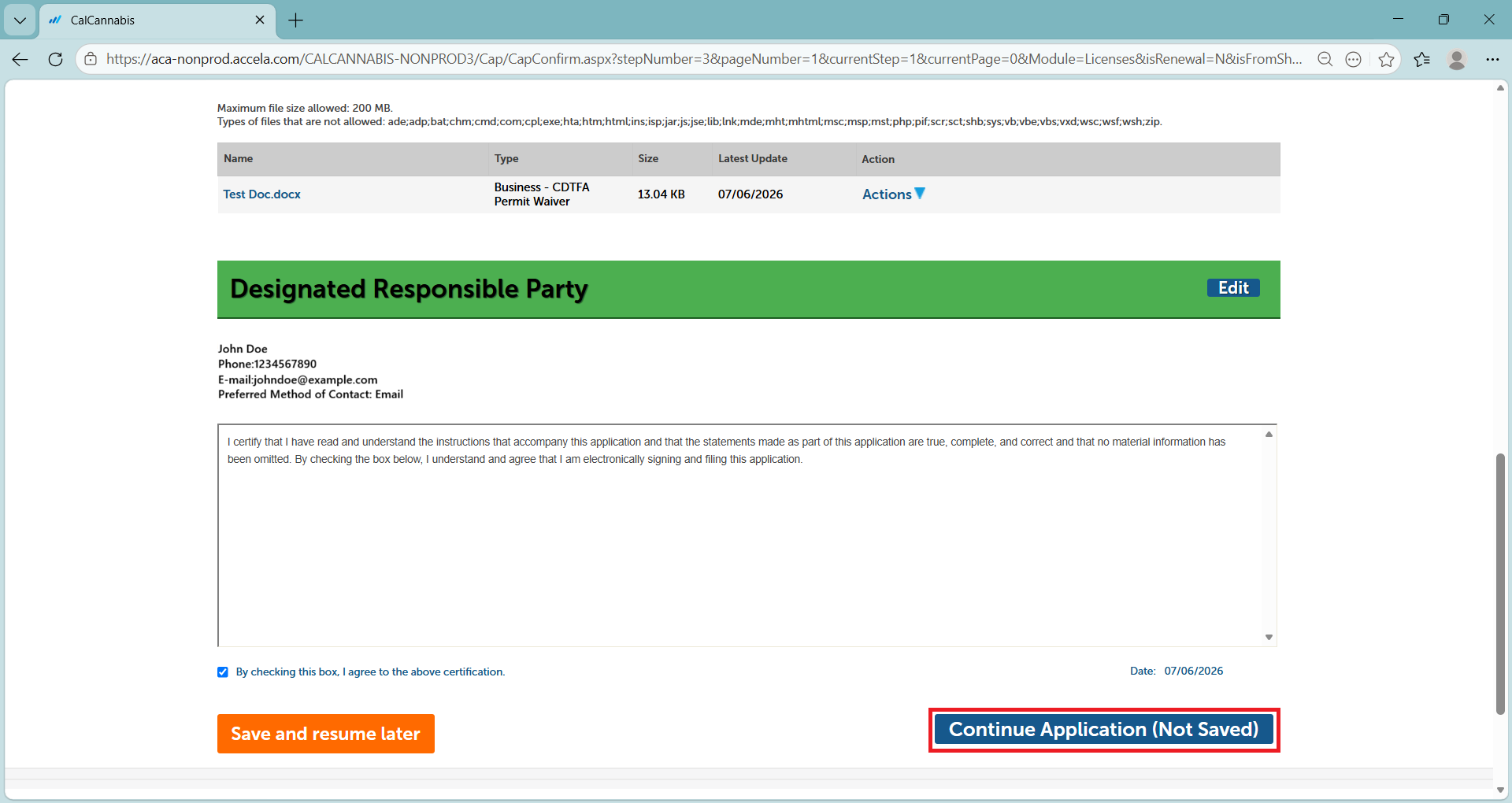
The next screen lets you review your entries and certify your response.
Click the checkbox, then Continue Application.
You will see a Receipt/Record Issuance page. Keep the number listed for your records.
Continue to next article
-
Deficiencies: Owner application amendment
Responding to owner application deficiencies is very similar to the previous process. Any owner receiving a deficiency notice must log into the system with their own account to respond. The related owner application has a status of “Additional Information Needed”, and the deficiency amendment is listed below that. Click on Resume Application to begin. Select…