
Last reviewed: August 3, 2026
The first item you’ll need to complete in when applying for a cannabis business license with the Department of Cannabis Control (DCC) is to register on the website and create your own account.
All business owners applying for a cannabis business license must be registered and have an active account with the online licensing system.
Getting started
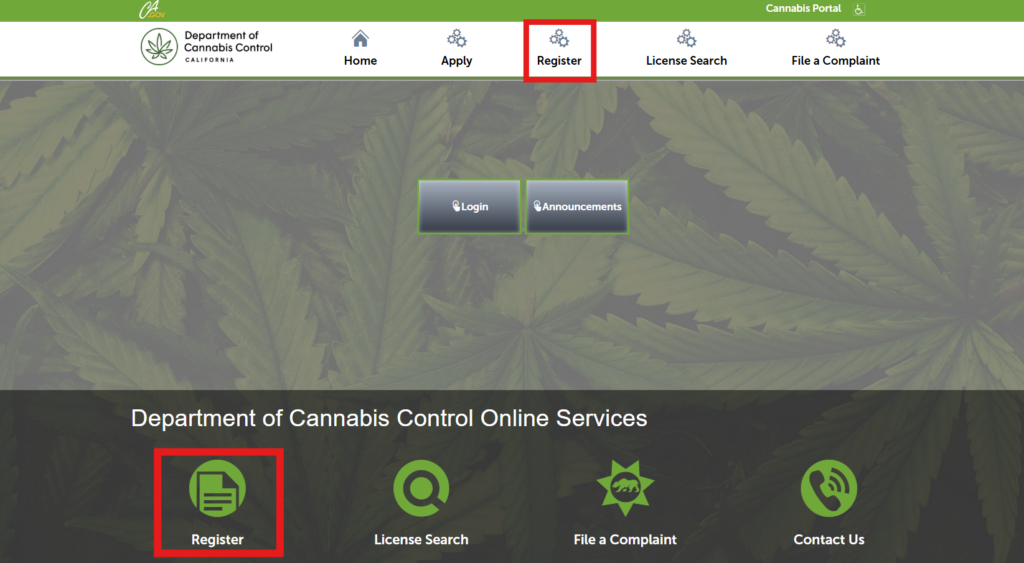
To begin, click Register on the licensing portal or access the registration page from the Department’s website under Licensee Resources. Access the license portals.
Contact details
Enter Username, E-mail Address, Password, and other required fields. Your password must meet the minimum requirements:
- 8 characters
- 1 special character
- 1 uppercase letter
- 1 lowercase letter
- 1 number
Choose a Security Question and type your answer in the required field.
A note on passwords
Note: You will be asked your Security Question if you need to reset your password. Your answer is case-sensitive. If you cannot recall the answer, contact the Department of Cannabis Control at 844-61-CA-DCC (844-612-2322) to have a temporary password sent to your email address on file and reset your password.
Selecting a contact type
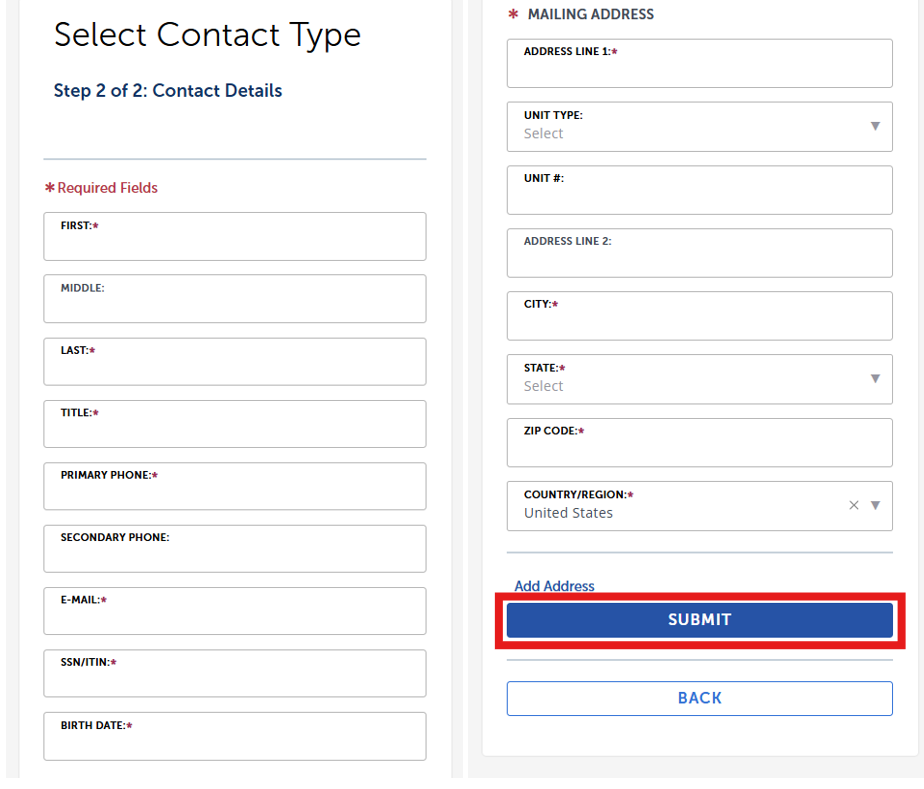
Next, enter your name, title, phone number, email, Social Security Number (SSN) or Individual Tax Identification Number (ITIN), date of birth and mailing address then click Submit.
Terms and conditions
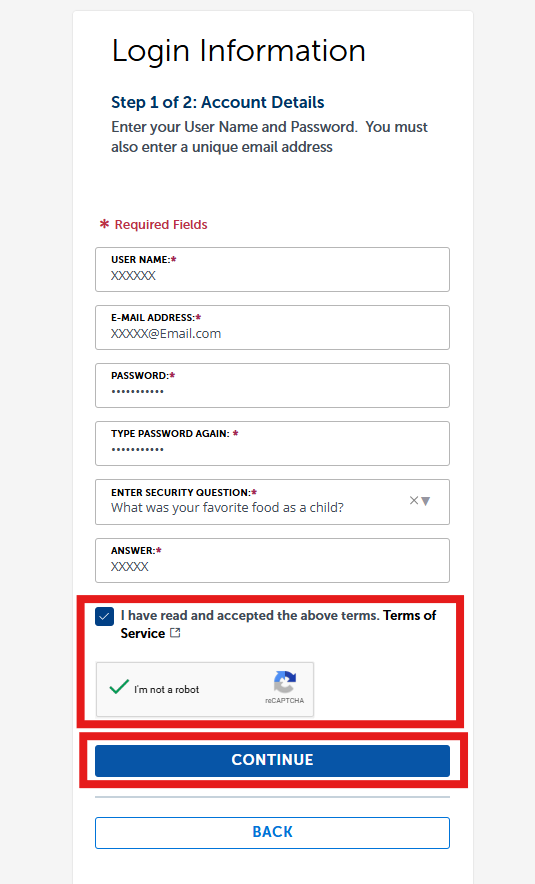
Then attest to the statement I have read and accepted the above terms, by clicking the checkbox and selecting the box I’m not a robot shown at the bottom of the screen (a security measure to prevent fraud), then click Continue.
Log in to your account
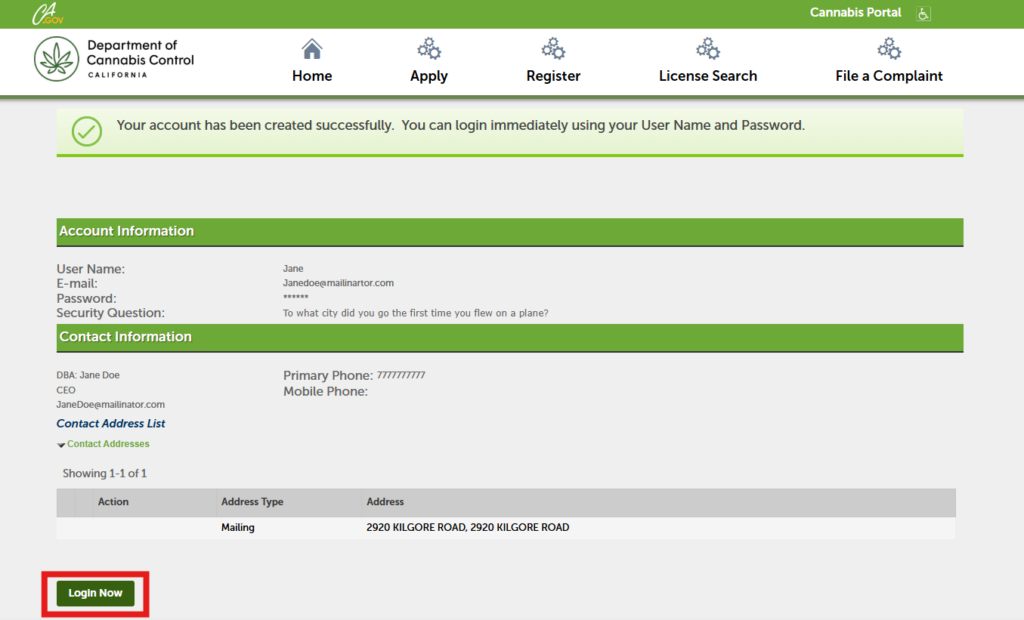
A confirmation message will appear. Click Login Now to sign into your account.
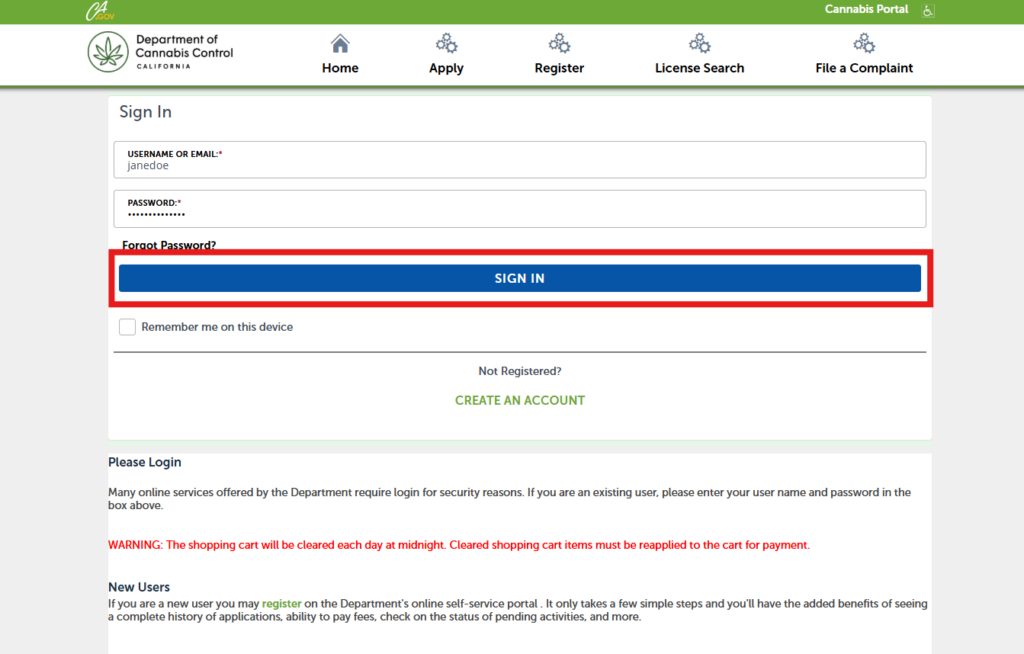
Enter your Username or Email Address and Password then click Sign In.
Contact us
By email: licensing@cannabis.ca.gov or by phone: 1-844-61-CA-DCC (844-612-2322).
Continue to next article
-
CLEaR: Account navigation
Once you are signed in, you can begin your license application and navigate key sections of the CLEaR system: Select a license type Choose to apply for one of these license types to begin your application. Select the license type you want to apply for to begin your application. Owner submittal Select Owner Submittal to complete an Owner Application. Follow the instructions provided in the email sent to each listed owner. My records The My Records page displays your…