
Last reviewed: August 3, 2026
Once your application is approved and the license fee is paid, you can access, view, and print your official license certificate.
Start by paying the required license fee. After payment is processed, your license becomes active and valid for one year. You can then open your license record, view the Attachments, and download your certificate.
Print the certificate and post it at your licensed premises, as required by law.
Paying the license fee
If your application is approved, you must pay the license fee before your license can be issued.
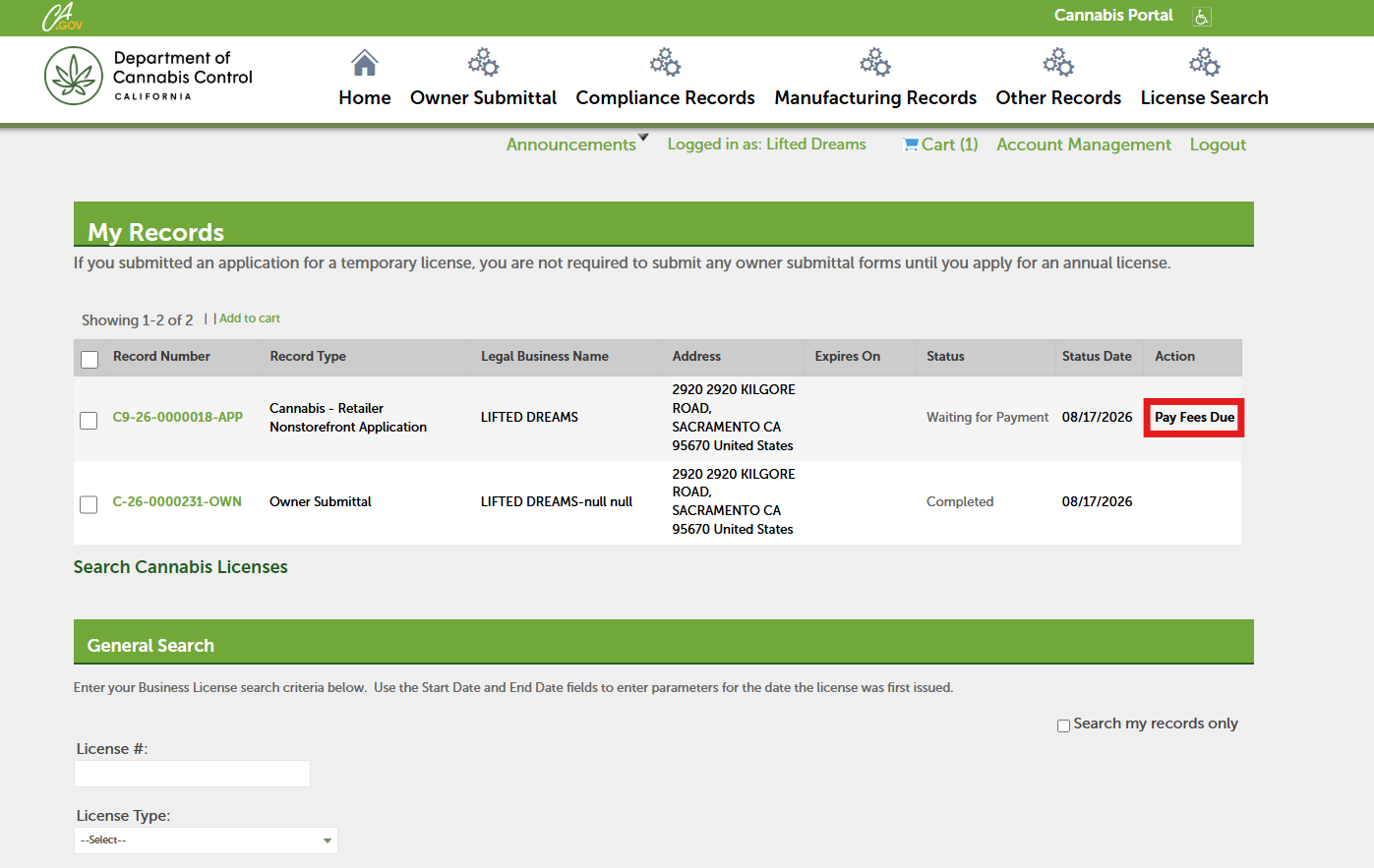
On the home screen, click Pay Fees Due.
Refer to the Paying the application fee guide for instructions on how to submit your pay. Failure to pay initial licensing fees within 60 days of approval will result in the application being abandoned.
Open your license record
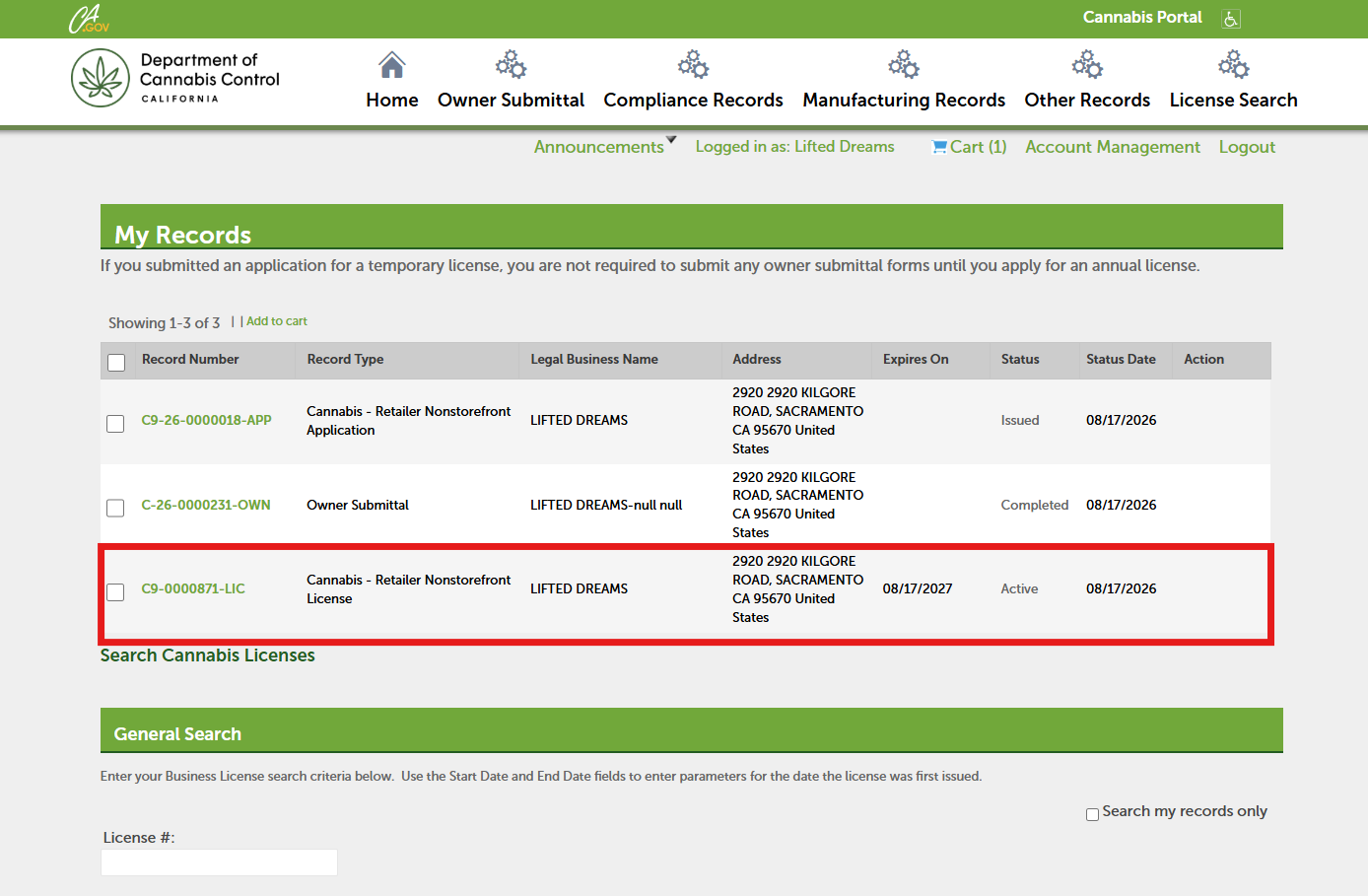
After your payment is processed, the license status will display as Active and will be valid for one year. Click on your License Number to open the license record and print your license.
View attachments
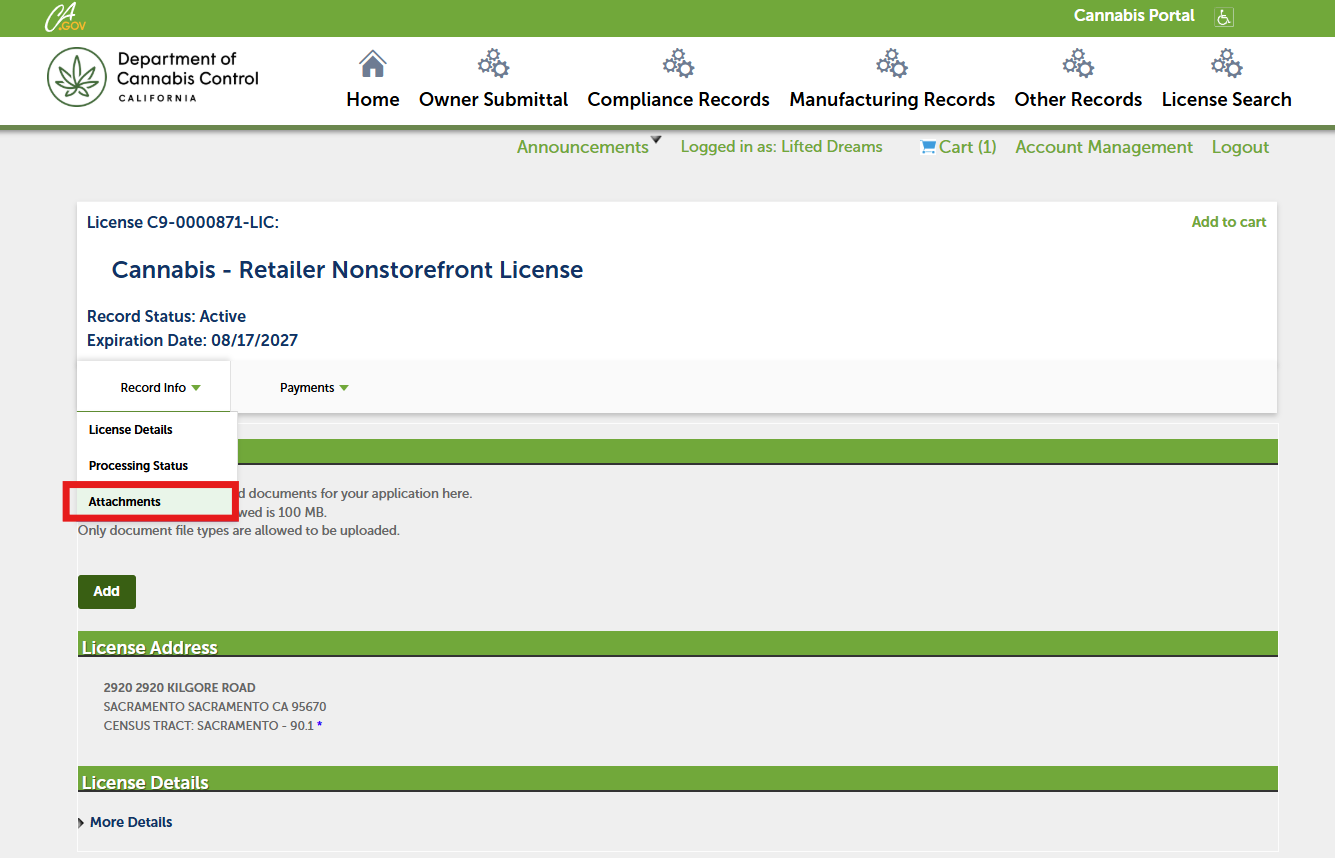
In your license record, open the Record Info dropdown list and click Attachments.
View license certificate
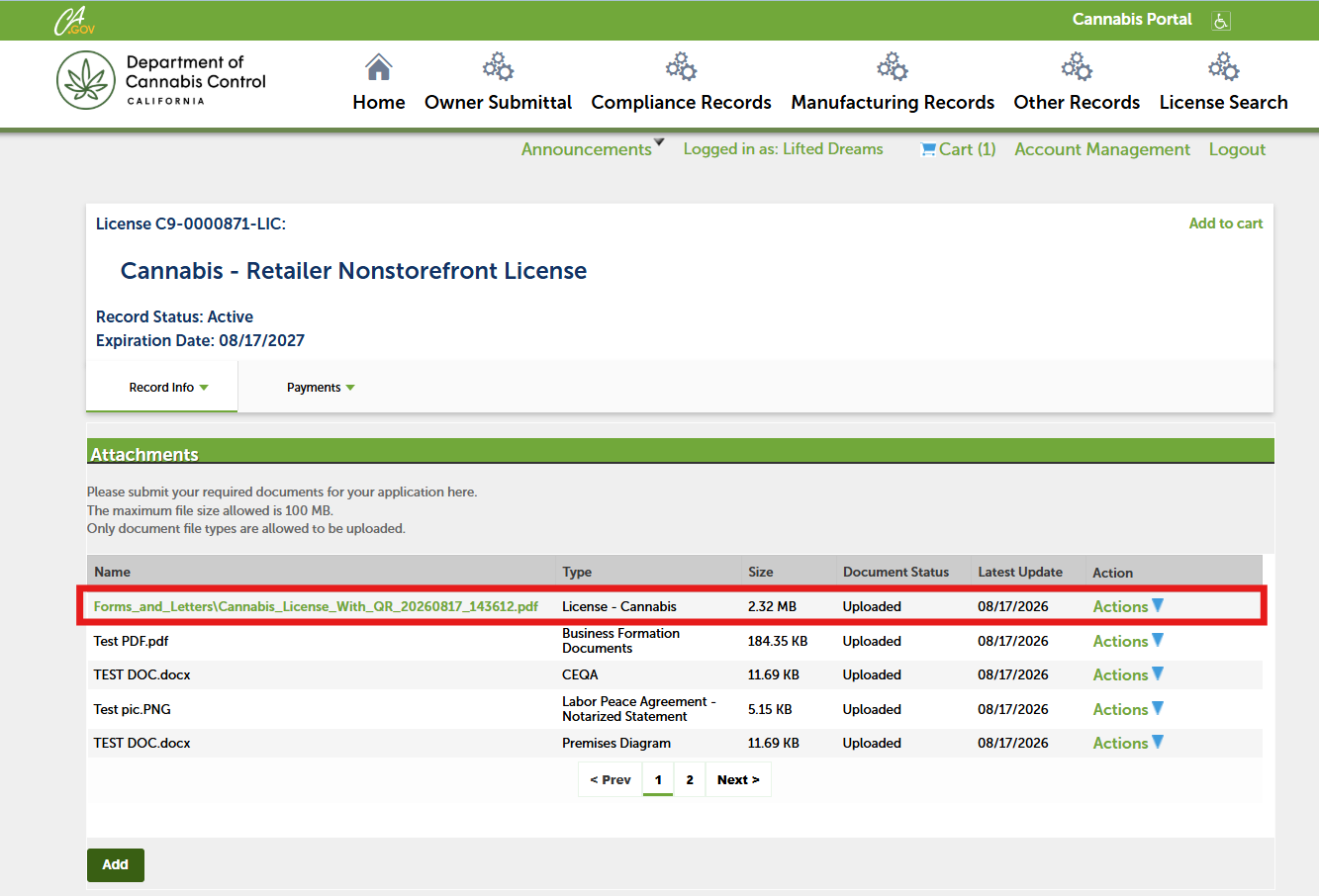
At the top of your Attachments list, you should see your official license certificate. Open the PDF by clicking on its title.
Print your certificate
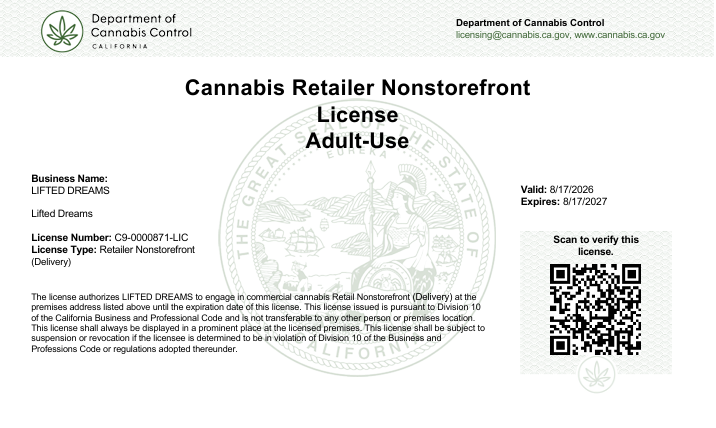
Print your new license certificate and post it at your licensed premises.
Contact us
By email: licensing@cannabis.ca.gov or by phone: 1-844-61-CA-DCC (844-612-2322).